
Editor
deckforge edit my-talkThis command opens the editor in your browser. Every change saves deck.yaml and rebuilds deck.html right away.
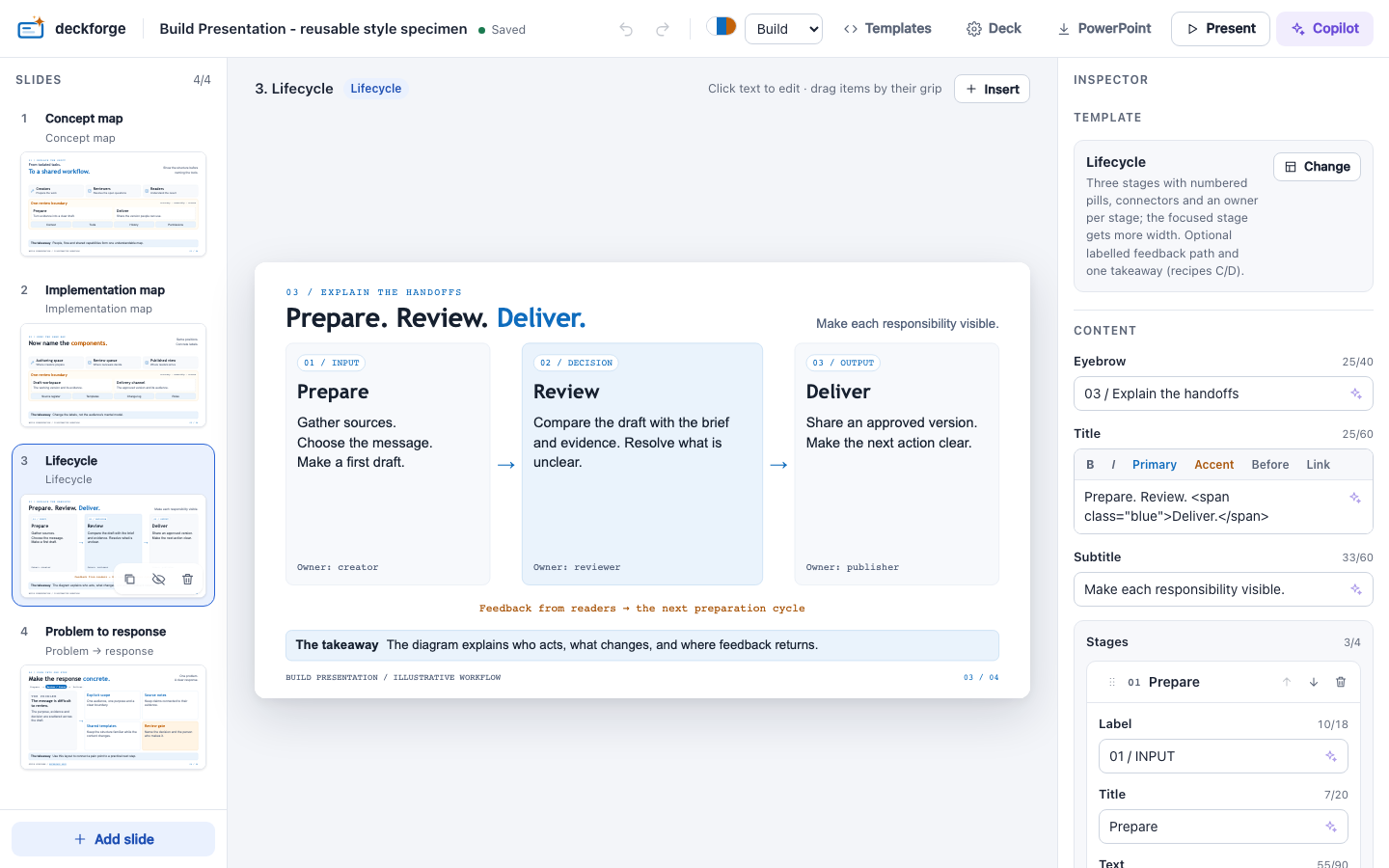
| Area | What you do there |
|---|---|
| Slide rail (left) | Select, drag to reorder, duplicate, hide or delete slides. Use Add slide to add one |
| Preview (centre) | Click any text to edit it in place. Enter commits, Esc reverts |
| Inspector (right) | The template, a form for every slot with character counters, speaker notes, footer and visibility |
| Top bar | Undo/redo, theme, Templates, Deck settings, PowerPoint export, Present and Copilot |
Drag the edge of the slide rail, the inspector or the Copilot panel to resize it. The editor remembers the widths. Double-click an edge to restore the default width.
Images
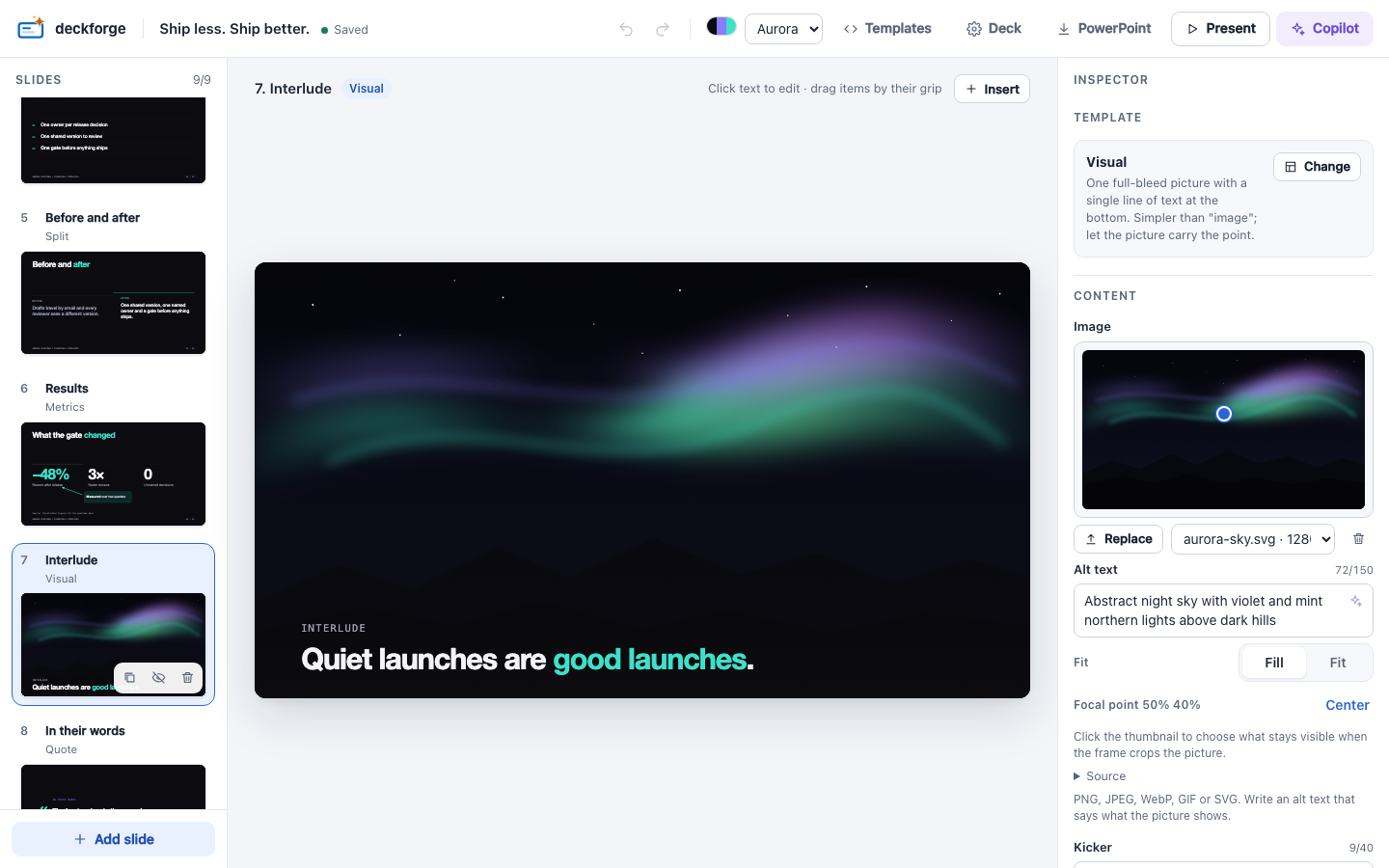
Drop or paste a picture on the slide, or use the image control in the inspector. PNG, JPEG, WebP, GIF and SVG files up to 10 MB are accepted.
- Click the thumbnail to set the focal point. It is the part that stays visible when the picture is cropped.
- Fill crops the picture to fill the frame. Fit shows the whole picture.
- The alt text field shows a warning while it is empty.
Overlays
Use Insert to add an image, text, callout, arrow or shape on top of the template.
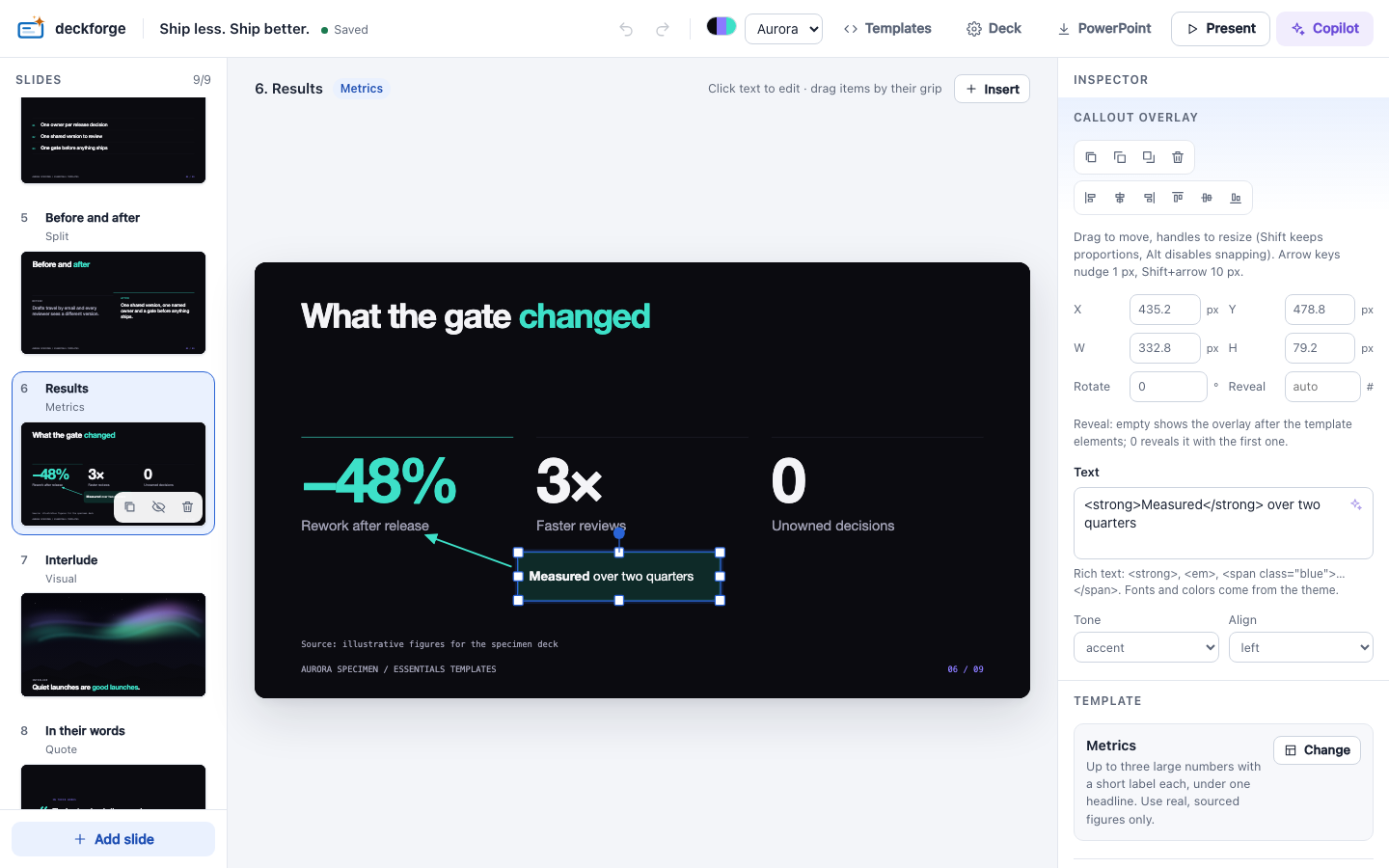
- Drag to move. Use the 8 handles to resize (hold Shift to keep the proportions) and the round handle to rotate.
- Overlays snap to an 8 px grid, the template's elements and other overlays. Hold Alt to move freely.
- The inspector sets the exact position, the reveal step, and the theme colours. It can also align several overlays.
- deckforge warns when an overlay goes off the slide or covers the template's text.
Keyboard shortcuts
| Keys | Action |
|---|---|
| ⌘/Ctrl Z · ⇧ ⌘/Ctrl Z | Undo · redo |
| ⌘/Ctrl K | Open Copilot |
| Alt ↑ / ↓ | Move the selected slide |
| ⌘/Ctrl D | Duplicate the slide or overlay |
| Delete | Delete the slide or overlay |
| Arrow keys · Shift + arrows | Nudge an overlay by 1 px · 10 px |
| ⌘/Ctrl ] / [ | Bring an overlay forward / send it backward |
| ← / → on a focused panel edge (Shift for bigger steps) | Resize the panel |
Reorder items
To reorder a card or list item, hover it on the slide and drag its grip. You can also drag a row in the inspector. Each drop is one undo step.
Safe by default
The editor runs only on 127.0.0.1 and opens with a token that is new each time it starts. Do not share the URL it prints. See the security model.